How to Mute Someone on Instagram Without Unfollowing (2025 Guide)
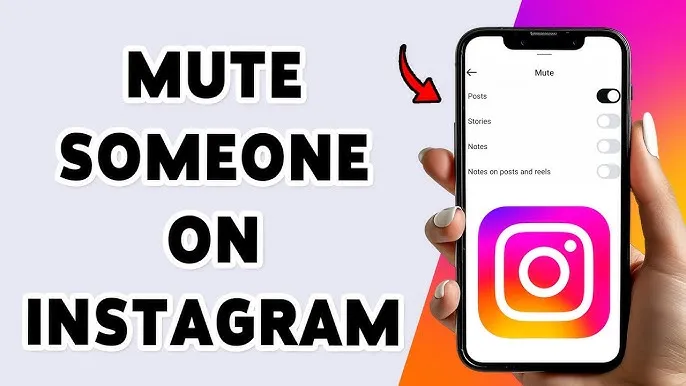
Sometimes you want a cleaner Instagram feed, but you don’t want to unfollow someone due to personal or social reasons. The good news is that Instagram’s mute feature lets you hide someone’s posts, stories, or messages quietly — and they will never know.
In this updated 2025 guide, you’ll learn how to mute posts, stories, messages, calls, and even notes without unfollowing or blocking anyone. This works on both Android and iPhone.
Part of our complete Instagram growth series: 👉 Instagram Growth 2025: The Ultimate Guide to Boost Reach, Followers & Engagement (Master Hub Post)
📑 Table of Contents
- What Does Mute Mean on Instagram?
- Why Mute Instead of Unfollow?
- How to Mute Instagram Posts
- How to Mute Instagram Stories
- How to Mute Instagram Messages
- How to Mute Instagram Calls
- How to Mute Instagram Notes
- Mute Someone Without Opening Their Profile
- Use Cases & Scenarios
- Pre-Written Scripts & Responses
- Managing Your Muted List
- Automation & Bulk Mute Tips
- Troubleshooting & Common Issues
- Mini Case Studies
- Publishing & Privacy Checklist
- Related Guides (Instagram Growth HUB)
📌 What Does Mute Mean on Instagram?
Muting someone means you hide their content from your feed or stories without removing them from your followers list. Instagram does not notify the person, making it completely private. It can be applied selectively (posts, stories, Notes, messages, calls) to control how much you see from that account.
- Posts
- Stories
- Notes
- Direct Messages
- Calls
🛑 Why Mute Instead of Unfollow?
Muting is a relationship-preserving way to manage your feed. Use it when you want to:
- Avoid awkward social fallout from unfollowing
- Reduce noise from frequent posters
- Maintain professional boundaries
- Control exposure to triggering or sensitive content
Muting keeps your social graph intact while giving you a calmer, more intentional feed.
📱 How to Mute Someone’s Posts on Instagram
- Open the user’s profile
- Tap Following
- Select Mute
- Enable Posts
Tip: If you want to hide both posts and stories quickly, use the combined toggle: Posts & Stories.
📸 How to Mute Someone’s Stories
Method 1 — From Profile
- Open their profile
- Tap Following → Mute
- Enable Stories
Method 2 — From Story Bar
- Long-press their story icon
- Tap Mute
- Select Mute Story
💬 How to Mute Instagram Messages
- Open Instagram DMs
- Select the chat
- Tap the ⓘ icon
- Enable Mute Messages
You won’t receive notifications, but messages remain visible in the chat.
📞 How to Mute Instagram Calls
- Open the chat
- Tap the ⓘ icon
- Enable Mute Calls
📝 How to Mute Instagram Notes
- Open the user’s profile
- Tap Following → Mute
- Enable Notes
🔕 Mute Someone Without Opening Their Profile
- Find their post in your feed
- Tap the ⋯ menu
- Select Mute
- Choose Posts or Posts & Stories
💡 Use Cases & Scenarios
When to use mute: practical scenarios that occur frequently in 2025.
1. The Overposter Friend
They post 20+ stories daily. Use Mute Stories to keep your feed calm and still keep the relationship intact.
2. The Co-worker You Can’t Unfollow
Maintain professional ties; use Mute Posts to avoid personal content bleeding into your workday.
3. The Ex You Don’t Want to See
Mute posts, stories, and Notes for emotional distance without escalating to a block.
4. Community Moderation
For community managers, sometimes you mute repeat offenders temporarily while you review reports or warnings.
✍️ Pre-Written Scripts & Responses
If someone asks why you’re less visible, use diplomacy. Here are scripts:
Script A — Gentle
"Hey — I’ve been trying to cut down social noise lately, so I mute some accounts. Nothing personal!"
Script B — Professional
"I’m keeping my feed focused for work projects — I didn’t unfollow you, just muted posts for a bit."
Script C — Boundary
"I’m taking a break from certain types of content — not about you, just my mental health."
🗂 Managing Your Muted List
How to review and unmute accounts:
- Go to Profile → Settings → Privacy → Muted Accounts.
- Review the list monthly and unmute when appropriate.
- Use this as a relationship audit tool — sometimes a temporary mute is all that's needed.
🤖 Automation & Bulk Mute Tips
Instagram doesn’t provide bulk mute natively, but you can:
- Use saved searches and perform quick mutes in a session
- For large account cleanups, consider doing timed sessions (20–30 accounts at a time)
- Avoid third-party bulk tools that require login — they violate Instagram policy and risk account safety
🔧 Troubleshooting & Common Issues
- Mute options missing: Update the app or switch to the latest app build; reinstall if necessary.
- Muting not working: Ensure you’re not viewing cached feeds; pull-to-refresh or clear app cache.
- Accidental mute: Go to Muted Accounts and unmute the user.
📈 Mini Case Studies
Case Study 1 — HR Manager
An HR manager muted several employees’ personal posts to keep her feed professional. Result: fewer distractions and no workplace awkwardness — she re-evaluated and unmuted at quarterly intervals.
Case Study 2 — Creator Detox
A creator muted accounts posting triggering political content during an intense editing period; this helped maintain focus and led to a week-over-week increase in content output.
✅ Publishing & Privacy Checklist
- Decide if mute is temporary or permanent
- Consider using Restrict if interaction is sensitive
- Document any permissions if you take moderation actions
- Audit Muted Accounts monthly
- Avoid third-party apps that request login credentials
Related Guides (Instagram Growth HUB)
- Instagram Growth 2025 — Master Hub
- Who Viewed Your Instagram Profile — Truth Explained
- How to Hide Followers & Last Active — Privacy Guide
- Instagram Broadcast Channels — Guide
✔ Final Thoughts
Muting lets you balance social relationships and mental space. Use selective muting, revisit lists often, and complement with Restrict for sensitive situations. It’s a lightweight, reversible tool that helps you curate an intentional Instagram experience in 2025.
For more strategies on handling privacy and account management, see our Master Hub:
👉 Instagram Growth 2025 Master Hub